
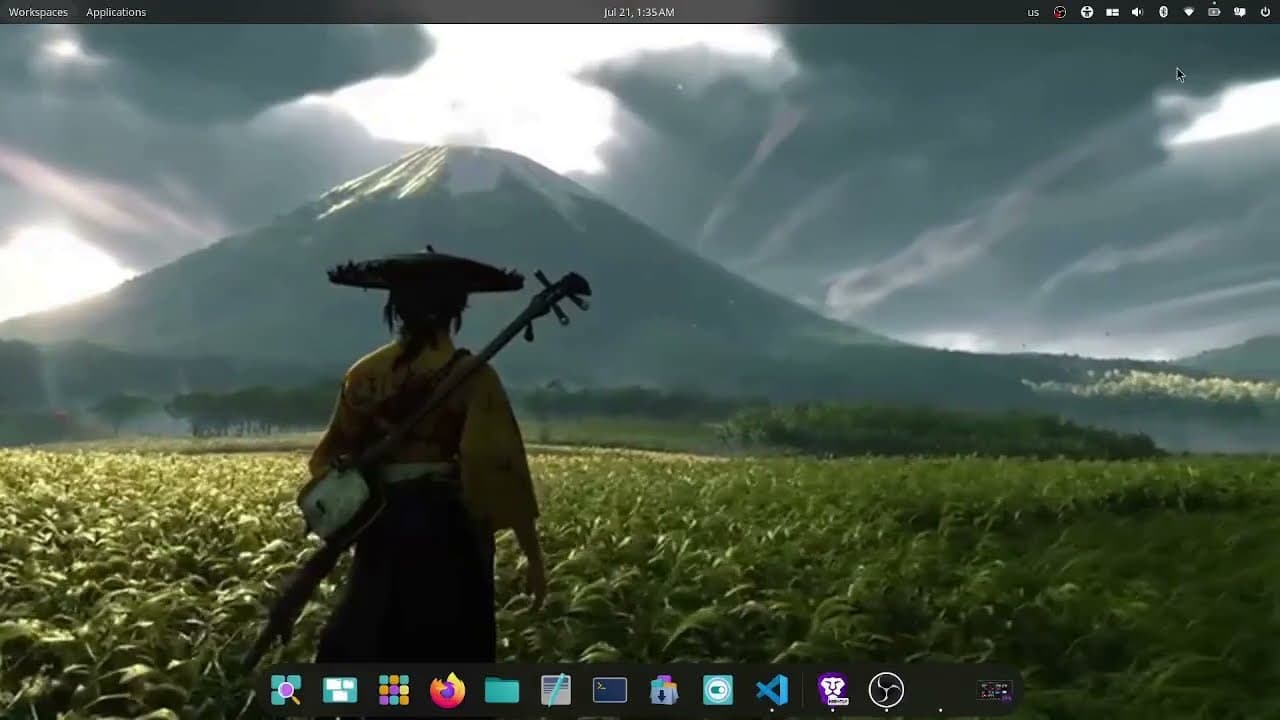
Add from link0:45
World's best Linux Wallpaper app Fresco, has Pinterest Link support!
Copy a Pinterest link, paste it into Fresco, set it as your wallpaper. No download step, no file juggling.
Set any video, GIF, or image as your Linux desktop. Hardware-accelerated playback keeps CPU near zero, on X11 and Wayland. Close the app; the daemon keeps it playing.
383 people used Fresco in the last 24 hours, 39 new
2,814 users128 countries9,426 total downloads73 GitHub starsGPL-3.0 free and open sourceUsers and countries are counted from installs that opted in to anonymous telemetry.
Built by Dibbayajyoti Roy
Field reports
Unedited notes from people running Fresco, sent from inside the app. Anonymous feedback is attributed by country only.
never before have i wanted to leave someone a tip so much yet been unable to do it
Field report
Easy to use with a clean interface — one of the few live wallpaper apps properly adapted for Deepin 25, installable via .deb and running smoothly with hardware-accelerated playback.
柒玖 (deepin forum) / 柒仈玖 (GitHub)Deepin community tester
Verified environment
man now restore on login works, you are goated, if i could fix every linux problem as you did i would feel god like
perfect for cosmic bro, keep it up
Hi, your app is wonderful. I was only wondering whether its possible to keep a background video paused when Im working on sth. So it would not run in the background. :) thanks!
Sure, I liked the project, the app really surprised me, especially how easy it is to use wallpapers.
I love it, Keep it up ;)
It is a great Tool. Thx for it.
its super good and it dosent hides your apps also the best becuase i found this a super good app the best app!!
Its Nice better then Wallpaper engine also cause its frree and easy to use :D
Hey, I just wanted to say thank you. I've been loving the app and how it performs on my PC, and I'll try to spread the word as much as I can
很好
é um app muito bom e util. um projeto muito promissor.
Features
Fresco sets video, GIF, image, slideshow, and playlist wallpapers on X11 and Wayland, decoded on the GPU so a live wallpaper costs about as much as a static one.
The current line, in time with whatever is playing over MPRIS. Local .lrc files first, then LRCLIB. Four presets and a sync offset.
Digital, Minimal, Segment, Stacked, Wordy, and Card, a translucent panel with a drawn analog face. 12 or 24-hour, optional date.
Bars, Mirror, Wave, Dots, or Ring, with a colour picker, a two-colour blend, or rainbow. Asks before it listens to your audio.
The current track's cover on a turning disc. It stops turning the moment playback pauses.
Per-monitor
Right-click any wallpaper and Set on a specific display. Each monitor can run its own.
Power-awarePause on battery, and auto-pause per monitor when a window there goes fullscreen.
Hardware-accelerated playback
Decoding runs on the GPU through mpv (VA-API or NVDEC). A 4K video wallpaper costs about as much CPU as a static image.
X11 and Wayland
A desktop-window backend on any X11 desktop, plus a layer-shell backend for COSMIC, Hyprland, Sway, and KDE Plasma 6. GNOME Wayland shows a still frame until the planned GNOME extension.
Built-in wallpaper catalog
Browse curated, licensed wallpapers in-app (menu, then Browse wallpapers) and set one in two clicks. You can also paste a direct link.
Video & GIF wallpapers
Loop any mp4, webm, mkv, or animated GIF as your desktop.
Slideshows with transitions
Rotate a folder of images with crossfade, fade, or Ken Burns.
Video playlists
Queue several clips and let Fresco cycle through them.
Lyrics and clock widgets
Time-synced song lyrics for whatever is playing over MPRIS (local .lrc first, then LRCLIB), and a clock in one of six themes. Drawn into the wallpaper, so nothing floats over your windows. Off by default.
Audio visualiser and album art
Five visualiser styles (Bars, Mirror, Wave, Dots, Ring) with a colour picker, blend, or rainbow, plus the current track's cover on a turning record. The visualiser asks before it listens to your audio.
Crop and rotate
Drag a frame to pick the region, rotate 90 degrees to fix sideways clips. Both stay zero-copy on the GPU.
Per-wallpaper sound
Unmute a video and set its volume. Fresco remembers the choice for that wallpaper.
Per-display wallpapers
Right-click any wallpaper and Set on a specific display. Each monitor can run its own.
Day and night schedules
Two wallpapers, two switch times, swapped automatically by the daemon. Time slots and solar switching via config.
Power-aware
Pause on battery, and auto-pause per monitor when a window there goes fullscreen.
Your wallpaper on every new tabComing soon
A companion browser extension (Chrome, Brave, Edge, Firefox) mirrors your desktop wallpaper, or a browser-specific pick, on the new-tab page via a local bridge that talks only to 127.0.0.1. In the repo today; store listings pending.
Themes and accents
Light, dark, or follow the system, with six accent palettes.
GNOME Wayland: still frame only. Mutter exposes no live surface, and GNOME 50, Ubuntu 25.10+ and Fedora 43+ no longer ship an Xorg session to fall back to. Widgets need that surface too, so they are unavailable there, and live video waits on a planned Fresco GNOME extension. Everything else above is live.
14 of 15 shipping · 1 in-preview · 0 deprecated
How it works
Open Fresco, click add, click set, close. The daemon keeps the wallpaper running, even after you reboot.
Open Fresco from your app menu and choose a video, GIF, image, folder, or playlist.
Set it as your wallpaper. It starts playing on your desktop right away.
Quit the window. A lightweight daemon keeps the wallpaper running, even after a reboot.
Compare
Fresco is the only actively maintained Linux live-wallpaper app in this table that combines a GUI, hardware decoding, X11 and Wayland support, and a built-in catalog, free. Here is the full comparison with Hidamari, Komorebi, mpvpaper, and Wallpaper Engine.
Compare · 5 tools · 13 capabilities
Fresco13/13
Hidamari4/13
Komorebi2/13
mpvpaper4/13
Wallpaper Engine7/13
| Feature | Fresco | Hidamari | Komorebi | mpvpaper | Wallpaper Engine |
|---|---|---|---|---|---|
| GUI app, no terminal | Yes | Yes | Yes | No | Yes |
| Works on X11 | Yes | Yes | Unclear | No | n/a |
| Works on Wayland (layer-shell) | Yes | Partial | Unclear | Yes | n/a |
| Hardware decode, low CPU | Yes | Partial | Partial | Yes | Yes |
| Drag-to-crop and rotate | Yes | No | No | No | Crop only |
| Playlists | Yes | No | No | Manual | Yes |
| Image slideshow | Yes | No | No | No | Yes |
| Wallpaper library | Yes | No | No | No | Yes |
| Built-in wallpaper catalog | Yes | No | No | No | Workshop |
| Per-display wallpapers (GUI) | Yes | No | No | Manual | Yes |
| Day and night schedules | Yes | No | No | No | Partial |
| Actively maintained | Yes | Yes | No | Yes | Yes |
| Free and open source | Yes | Yes | Yes | Yes | No |
Wallpaper Engine is a paid, Windows-first product. Komorebi is no longer maintained.
Short screen recordings of Fresco on a real desktop. Nothing loads from YouTube until you press play.
Copy a Pinterest link, paste it into Fresco, set it as your wallpaper. No download step, no file juggling.
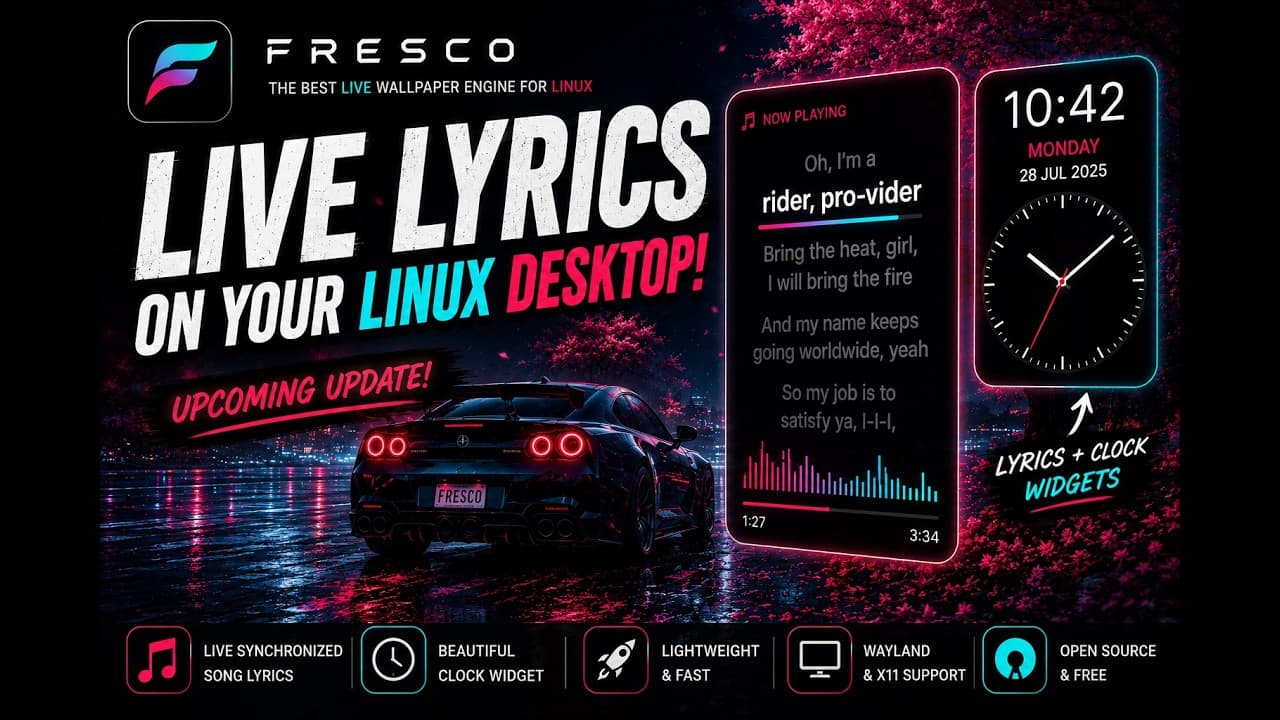
Synchronized lyrics and a clock drawn into a live wallpaper on Wayland and X11. Shipped in v1.1.36, along with an audio visualiser and an album-art disc.
The official one-line installer or the .deb release. Either path copies to your clipboard and runs instantly. Fresco keeps playing after you close the window.
Tested distributions · 8Pop!_OS 22.04 · Pop!_OS 24.04 (COSMIC) · Ubuntu 22.04 / 24.04 · Linux Mint 21 / 22 · Debian 12 · Kali Linux · elementary OS 7 · Deepin 25 (DDE)
Run this in a terminal. It downloads and installs the latest .deb for you, always the newest release:
curl -fsSL https:/Debian · Ubuntu · Pop!_OS · Mint · Kali
Built and verified for deepin 25's DDE desktop, icons and all.
For the lowest CPU usage, install your GPU's hardware-decode driver (Intel media VA driver, Mesa VA drivers, or the NVIDIA proprietary driver for NVDEC).
Latest releasev1.1.50
curl -fsSL https://github.com/DibbayajyotiRoy/fresco/releases/latest/download/install.sh | bashEverything you need to know before setting your first live wallpaper on Linux.